The Master Blueprint for Faceless AI Content: From Synthetic Art to High-Output Video
Architect your faceless brand with our ultimate roadmap. Master AI image generation, consistent characters, and cinematic video workflows.
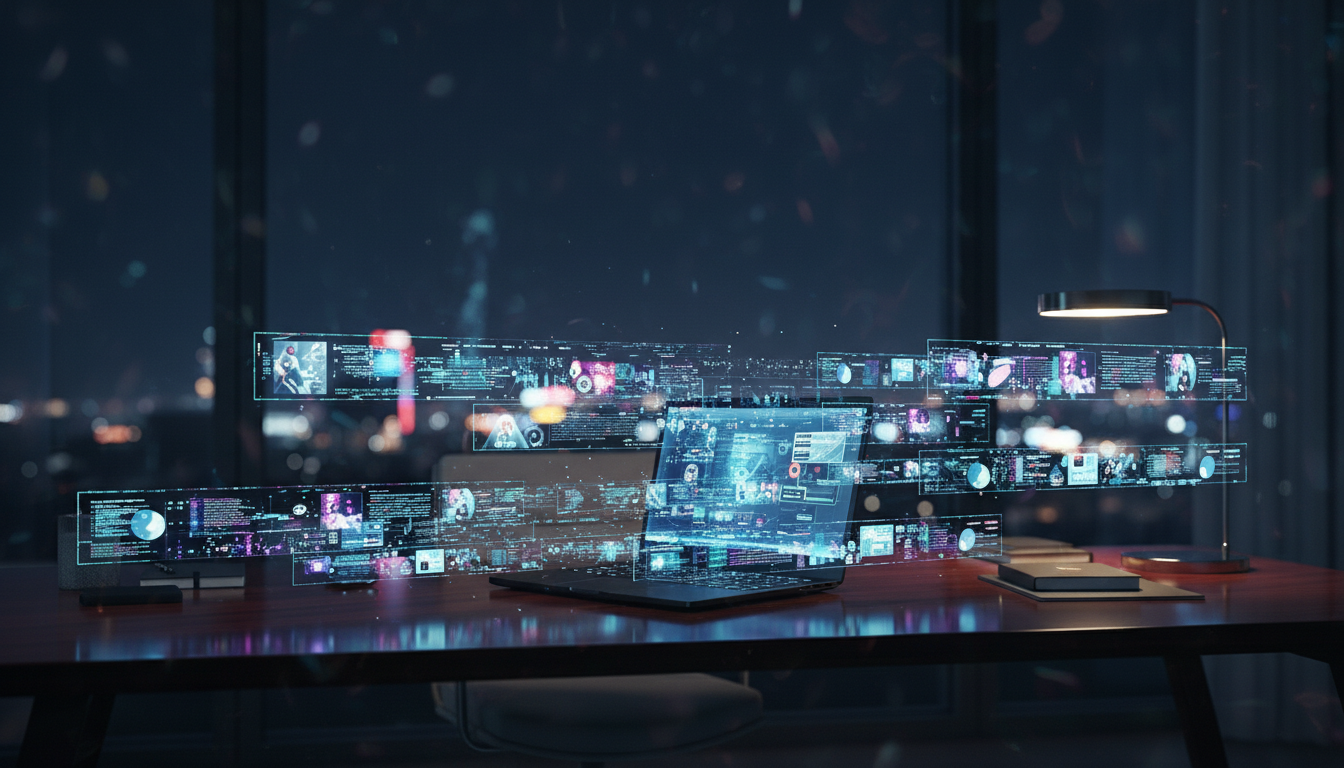
The tools to build a faceless media brand generating consistent, high-quality content now cost less than a Netflix subscription. The barrier has not disappeared, it has shifted. What used to require a camera operator, an editor, a motion designer, and a character artist now requires one person with architectural thinking. Most operators fail not because they lack access to tools, but because they treat a system problem as a shopping problem.
This guide exists to correct that. What follows is the complete operational framework for building a faceless content brand across three critical phases: establishing a Visual Identity that does not drift, solving the Continuity Problem that breaks most channels before they scale, and executing the transition from static image output to full kinetic video production. Each phase has a failure mode. Each has a professional standard. Each connects to the next.
Phase 1: Establishing the Visual Identity (The Image Engine)
The first architectural decision you make, which image engine to anchor your brand on, will determine your production ceiling, your cost structure, and your downstream workflow compatibility. Most operators make this decision based on output samples seen on social media. That is the wrong input. You should make this decision based on where your content pipeline is going, not where it currently is.
Choosing Your Primary Engine
The current production split is between Midjourney and Leonardo AI, and the distinction is not primarily aesthetic, it is infrastructural.
Midjourney produces superior raw output quality with its V6 and newer models, particularly for photorealism and cinematic aesthetics. Its prompt adherence at high stylization values (–stylize 750 and above) delivers a visual distinctiveness that is genuinely difficult to replicate on other platforms. The limitation is structural: Midjourney operates through Discord, which means your production environment is a messaging app. Batch jobs, organized asset libraries, and version-controlled outputs require third-party workarounds. For solo operators at low volume, this is manageable. For anyone running a content operation across multiple channels or client accounts, the friction compounds.
Leonardo AI trades ceiling height for production infrastructure. Its web-based workspace supports model training via LoRAs (Low-Rank Adaptation), which allows you to fine-tune outputs to a specific character, object, or visual style. This is not a minor feature. A trained LoRA running on Leonardo reduces your character consistency overhead by approximately 60-70% compared to prompt-only approaches in Midjourney, because the visual identity is baked into the model rather than reconstructed on every generation. For faceless brands built on recurring characters or consistent environments, this is the more defensible architecture.
The professional standard for serious operators: use Midjourney for creative exploration and establishing the initial aesthetic language of your brand, then migrate to Leonardo with a trained LoRA for production-grade asset generation. These are not competing tools. They serve different stages of the same workflow. For a full side-by-side breakdown of capability ceilings, cost structure, and workflow integration for each platform, see Midjourney vs Leonardo AI: The Ultimate Choice for Faceless Branding.
The Upscaling Gap Nobody Talks About
Here is where most operators unknowingly install a ceiling on their brand’s perceived quality: they skip professional upscaling and deliver AI outputs at native resolution.
Native AI image output from Midjourney or Leonardo typically lands between 1024×1024 and 1536×1024 pixels. For thumbnail use or social posts compressed by platform algorithms, this is borderline acceptable. For 4K YouTube headers, product mock-ups, or professional placements, it fails. The images look soft, the edges show AI texture artifacts, and the output signals “AI-generated” to any viewer with calibrated eyes.
The solution is a two-stage upscaling workflow. Stage one: AI-based upscaling using architectures like Real-ESRGAN (optimal for photorealistic subjects) or SwinIR (optimal for illustrated or cinematic styles). These models intelligently reconstruct detail at 2× or 4× scale, rather than interpolating it, which is the critical difference. Stage two: sharpening and artifact reduction, applied selectively to edges and texture regions using tools like Topaz Photo AI or Gigapixel.
The benchmark you are working toward: 4K-ready output (3840×2160) from an AI asset that entered the pipeline at 1024×1024. This is achievable with a properly configured upscaling stack. The cost of skipping this step is not just lower-quality images, it is a brand perception tax on every piece of content you publish.
The failure mode here is not technical ignorance, it is false economy. Operators skip upscaling because it adds a step. The step costs three minutes per asset. The perception gap it closes is worth far more than that in audience retention and content longevity. The exact stack configuration, which architecture to run for which asset type, and how to set sharpening thresholds without introducing ringing artifacts, is covered in full in Optimizing Your AI Image Upscaler Workflow for 4K Production Quality.
Phase 2: Solving the Continuity Problem (Consistent AI Characters)
Visual drift is the silent channel killer. A viewer follows your content because they connect with a visual character, an aesthetic, a sense of place. When that character looks different in episode three than it did in episode one, different jaw structure, different lighting response, different implied age, the unconscious trust mechanism breaks. The viewer does not know why they feel less engaged. They just stop returning.
This is not a creative problem. It is an engineering problem with documented solutions.
The Technical Architecture of Character Stability
Midjourney’s –cref (Character Reference) parameter allows you to feed a reference image directly into the generation process, anchoring the output’s character features to a source asset. At –cw 100 (character weight maximum), the model heavily prioritizes replicating the face, hair, and distinguishing features of your reference. At lower weights (–cw 50-70), you get more compositional flexibility while maintaining recognizable identity.
The operational workflow: designate one high-quality master render as your character’s canonical reference image. This asset is protected, it never gets modified, filtered, or replaced. Every subsequent generation for that character pulls –cref from this master. When you introduce a new scene environment, test the character reference at three weight levels (70, 85, 100) and select the output that best balances scene integration with character fidelity.
For operators running on Leonardo with custom LoRAs, the equivalent parameter is the LoRA influence weight, typically set between 0.7 and 0.9 for production runs. Below 0.7, character features begin softening. Above 0.9, the model can over-fit to the training data and struggle to adapt the character to new scene contexts.
Consistency extends beyond the face. Lighting direction, color temperature, and environmental context must be managed at the prompt architecture level. Establish a lighting brief for your brand , for example, “warm side-lighting, golden hour temperature, slight lens bloom”, and encode it as a fixed suffix block in every prompt. This ensures that even when the scene changes, the character exists in a coherent visual universe. For the complete parameter reference and tested prompt structures for both Midjourney and Leonardo production environments, see How to Create Consistent AI Characters for Your Brand.
The Failure Mode That Ends Channels at Scale
Here is the non-obvious insight that most faceless brand operators miss: character consistency is not your primary retention mechanism, character familiarity is. These are not the same thing.
An AI character can be pixel-perfect consistent across 50 videos and still generate zero audience attachment. The reason is that visual consistency is necessary but not sufficient for familiarity. Familiarity requires behavioral consistency: the character’s implied personality, the recurring environmental contexts they inhabit, the visual language of how they engage with the world.
Operators who achieve visual consistency but neglect behavioral and environmental consistency are building a brand with the right building materials in the wrong configuration. The audience sees the same face, but never builds a relationship with it. This is why many technically proficient faceless channels plateau at mid-tier reach despite production quality that matches or exceeds human-filmed competitors, they solved the technical layer but left the narrative architecture undefined.
Define your character’s behavioral constants before you produce at scale. These are not personality bullet points. They are production rules: this character always occupies interior spaces; this character’s emotional register is calm but urgent; this character’s world is desaturated except for one recurring accent color. These rules are what transform a collection of consistent images into a brand.
Phase 3: Moving from Static to Kinetic (AI Video Production)
Static images build brand identity. Video builds audience. The transition from image to video is where the most capital is destroyed in AI content operations — not because the tools are too complex, but because operators approach video as an upgrade from images rather than a fundamentally different production system requiring its own workflow logic.
Cinematic Animation: Two Workflows, Two Use Cases
The first workflow is static-to-video animation: taking a produced image asset and generating 4-8 seconds of cinematic motion from it. Pika Art is the current production standard for this specific use case. Its motion parameter controls (motion strength 0-4, camera motion vectors, and the region modification tool) give you meaningful control over what moves and how. The critical discipline here is restraint. Operators instinctively push motion strength to maximum to make outputs look “more cinematic.” This is wrong. High motion strength in AI video generation degrades subject integrity, faces distort, edges break apart, and the character consistency you spent Phase 2 building evaporates in the first three seconds of animation.
Professional setting for character-preserving animation in Pika: motion strength 1.2-1.8, with camera motion set to slow push-in or slow pan rather than complex multi-axis movement. Apply region modification to isolate background motion (atmosphere, environmental elements) from the foreground character. This creates depth and kinetic energy without destabilizing the primary subject. For a step-by-step walkthrough of region modification and motion calibration in a production workflow, see Pika Art Tutorial: Achieving Cinematic Motion from Static Images.
The second workflow is long-form AI video generation: producing 5-20+ second clips from text or image prompts, suitable for narrative storytelling, documentary-style content, or cinematic sequences that require physics and spatial continuity. This is the domain of Runway and, for operators with API access, Sora.
The productive comparison between Runway and Sora is not about output quality in isolation, it is about production cycle velocity. Runway’s Director Mode gives operators explicit camera language controls (dolly, crane, rack focus) that translate directly into professional production intent. The output is predictable enough to integrate into a daily content schedule. Sora’s output ceiling is demonstrably higher, but the generation time, cost per clip, and current access constraints make it unsuitable as a daily production tool for most operators. The professional standard for production pipelines: Runway as the workhorse, Sora reserved for hero content and anchor videos where quality ceiling justifies the cost premium. For a direct comparison of Director Mode controls, cost-per-clip benchmarks, and where each platform’s output breaks down under production pressure, see Sora vs. Runway Gen-4 Review: The New Era of AI Video Production.
Benchmark to set your expectations: A well-constructed Runway clip at 768p/24fps with proper Director Mode parameters should require 2-3 generation attempts to achieve usable output. If your success rate is lower, the problem is upstream in your prompt construction or reference image quality, not in the tool.
AI Avatars: The Efficiency Asset Most Operators Misposition
For educational, explainer, or commentary-style faceless content, AI avatar platforms represent the highest ROI per unit of content produced. HeyGen and Synthesia have both cleared the uncanny valley threshold for standard use cases, the micro-expression rendering and lip-sync accuracy are now sufficient for professional deployment in most content categories.
The strategic mistake operators make with avatars is treating them as a substitute for a real presenter. This is the wrong framing. A well-deployed AI avatar is not a cheaper human, it is a systematized delivery mechanism for scripted content that does not require takes, reshoots, or scheduling. The comparison is not avatar versus human; it is avatar versus a voiceover on motion graphics. On that comparison, the avatar wins on engagement metrics in virtually every tested content category.
HeyGen’s current competitive advantage is multi-language lip-sync, which allows a single scripted video to be localized across 40+ languages with native lip movement rather than subtitle overlays. For operators targeting international audiences or running multiple language-specific channels from a single content production operation, this feature alone justifies the platform cost. Synthesia holds an advantage in enterprise integrations and template infrastructure, making it the better choice for operators managing brand consistency across large content libraries or client accounts. For a full evaluation of both platforms, plus three additional avatar tools worth knowing for specific use cases, see 5 Best AI Avatars for Professional Faceless Explainer Videos.
The Flywheel Architecture
The three phases described in this guide are not sequential steps, they are concurrent systems that feed each other. Your image engine produces the visual assets that your consistency workflow stabilizes, which then feed into your video generation pipeline as reference inputs. A breakdown at any layer propagates downstream: poor image quality produces poor video generation inputs; inconsistent character references produce visual drift in animation; inadequate upscaling produces soft video textures regardless of generation quality.
This is the architectural insight that separates operators who build durable faceless brands from those who produce impressive isolated assets that never compound into audience. Content is not the product. The system is the product. Content is what the system outputs.
The operators who dominate the faceless brand economy are not the ones with access to the best tools, access is no longer the constraint. They are the ones who have built the tightest feedback loops between phases, the most disciplined prompt architecture standards, and the clearest definition of what their visual brand is and is not.
The tools execute your vision. The vision has to be built before the first prompt is written.
The Operator’s Decision Framework
Before committing to a production stack, answer three questions that most operators skip:
1. What is the content half-life of your niche? Evergreen content (finance, health, productivity) justifies the investment in trained LoRAs and high-consistency character systems because assets remain valuable for 12-24 months. Trend-driven content (news commentary, reaction) requires a faster, lower-consistency workflow where production velocity matters more than visual precision.
2. What is your monetization architecture? AdSense revenue scales with views. Sponsorship revenue scales with audience trust. Course and product revenue scales with authority perception. Each monetization model has different visual quality thresholds and different consistency requirements. A channel monetized through sponsorships needs brand consistency at a professional standard because sponsors are evaluating it. A channel monetized through AdSense needs volume efficiency above all else. Build your production stack to serve your revenue model — not the production stack you find most technically interesting.
3. Are you building one brand or a content operation? A single-brand operator can absorb more production complexity because the investment pays across a unified asset library. A content operation running multiple channels needs standardized, repeatable workflows that can be executed at speed by a systematized process. These require different tool selections, different training investments, and different quality benchmarks.
The answers to these questions determine which stack configurations described in this guide are optimal for your specific situation. There is no universal correct stack, there is only the correct stack for your output goals and your resource constraints.
Now what?
Your next step is to answer the three Decision Framework questions above, in writing. Not in your head. Once your monetization model, content half-life, and operational scope are committed to text, your tool selection becomes arithmetic, not deliberation. Start now, everything else will follow.
The tools exist. The workflows are documented. The only remaining variable is whether you are building a system or collecting software.
Guided by a decade of expertise in digital marketing and operational systems, The Nexus architects automated frameworks that empower creators to build high-value assets with total anonymity.