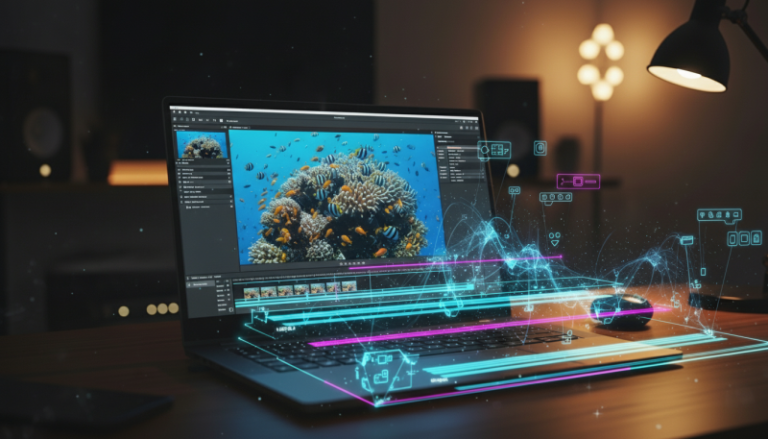
Optimizing Your Cloud Rendering AI Infrastructure for High-Performance Video Production
Learn how to configure a specialized cloud rendering AI environment to scale your content production and eliminate local hardware bottlenecks.

Producing high-fidelity synthetic media or complex 3D animations requires computational power that often exceeds the capabilities of standard local hardware. To maintain a consistent production schedule, establishing a robust cloud rendering ai workflow is no longer optional; it is a technical necessity for scaling operations.
While local workstations are excellent for initial drafting and logic-based tasks, the final export phase benefits significantly from the distributed architecture of the cloud. By offloading these intensive processes, creators can maintain a fluid creative process without the downtime associated with thermal throttling or system freezes.
Understanding the Core Infrastructure
A professional remote desktop for editing and rendering is built on three pillars: low-latency streaming, GPU virtualization, and persistent storage synchronization. Unlike general-purpose cloud computing, media-centric environments require specific optimizations to handle the high data throughput of video files.
Hardware Specifications for AI Rendering
When selecting your instance type, prioritize high VRAM over raw clock speed. Many AI-driven upscaling and frame-interpolation tools are memory-bound rather than compute-bound.
- GPU Selection: Aim for NVIDIA A100 or L40S instances if available. These architectures are specifically optimized for the Tensor cores required by modern AI models.
- CPU-to-GPU Ratio: Maintain a ratio of at least 8 vCPUs per GPU to ensure the system can pre-process data quickly enough to keep the graphics card saturated.
- RAM Requirements: Minimum 64GB of system memory is recommended to avoid swap-file bottlenecks during large asset loads.
Step 1: Configuring the Virtual Environment
To begin, you must select a provider that supports high-performance display protocols. Standard RDP (Remote Desktop Protocol) is often insufficient for video work due to its limited color depth and frame rate. Use Teradici PCoIP or Amazon DCV to ensure your remote desktop for editing feels as responsive as a local machine.
Configuration Parameters:
- Color Accuracy: Set to 4:4:4 chroma subsampling for precise color grading.
- Frame Rate: Cap the stream at 60 FPS to match standard monitor refresh rates.
- Bandwidth: Allocate a minimum of 25 Mbps for a stable 1080p stream; 50 Mbps for 4K.
Step 2: Optimizing the OS for Cloud Rendering AI
Default OS installations are cluttered with background services that consume valuable cycles. For a specialized rendering node, a “Headless-First” or “Media-Optimized” image is preferred.
- Driver Installation: Always use the NVIDIA Grid or Data Center drivers rather than the standard GeForce drivers. These are designed for stability in virtualized environments.
- Power Management: Set the system to High Performance mode to prevent the CPU from down-clocking during idle periods between render batches.
- Virtual Memory: Manually set the paging file size to 1.5x your total system RAM to provide a buffer for peak memory spikes.
Step 3: Data Pipeline and Synchronization
The most significant bottleneck in cloud rendering ai is often the time spent moving large video files between the cloud and local storage.
Implementing a block-level synchronization tool allows you to begin editing locally while the high-resolution assets are processed in the cloud. Tools like LucidLink or specialized S3 buckets mounted as local drives provide a seamless bridge. This allows the cloud instance to write rendered frames directly into your local project timeline without manual downloads.
The Technical Verdict
Building a dedicated cloud rendering environment is an investment in time and technical overhead that pays dividends in output volume. For those processing multiple AI-driven video projects weekly, the transition from local rendering to a cloud-based infrastructure allows for parallel processing—where one project renders in the cloud while the next is being edited on the remote desktop.
By focusing on high-bandwidth display protocols and VRAM-heavy GPU instances, you create a scalable system that grows with your production needs. This specialized approach ensures that hardware limitations never dictate the quality of your final creative output.

Guided by a decade of expertise in digital marketing and operational systems, The Nexus architects automated frameworks that empower creators to build high-value assets with total anonymity.
the big picture

The Definitive Roadmap to High-Performance Faceless AI Content Production
Architect a scalable, anonymous content empire using professional AI workflows, high-performance hardware, and precision engineering systems.